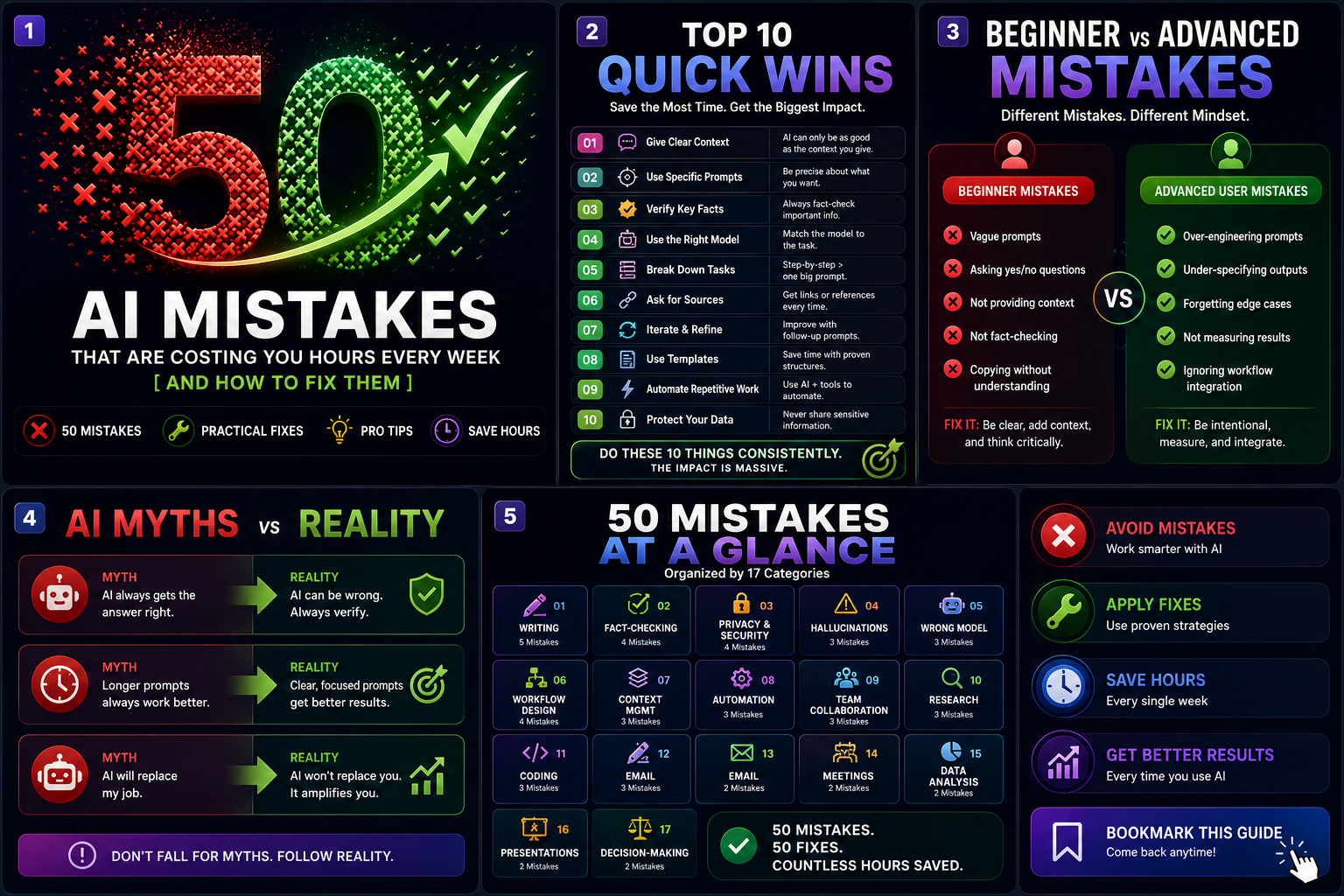
Most people using AI at work aren’t saving as much time as they could — not because the tools aren’t good enough, but because of a small, repeatable set of habits that quietly cancel out the benefit. This guide catalogs 50 of them, organized by category, each with why it costs you time, how to fix it, a real example, and a pro tip you can apply today.
Why Most AI Users Fail to Save Time Despite Advanced Tools
The gap usually isn’t the model. It’s the absence of a system around it. Three patterns explain most of the wasted time covered in this guide: no consistent prompt structure (see our prompt engineering guide), no verification habit (see our verification guide), and no workflow design — using AI conversationally for tasks that are actually recurring and worth automating (see our automation guide). Fix those three, and most of the 50 mistakes below become far less likely in the first place.
Prompt Writing
#
Mistake
Why It Hurts
The Fix
Example
Pro Tip
1
Writing only the task, skipping context, format, and constraints
Produces generic, unusable first drafts, requiring several rewrite rounds
Use the Four-Layer Prompt: Context, Task, Format, Constraints
Asking a leading question that biases the answer toward what you already believe
Confirmation bias gets baked into research framed as neutral
Ask neutrally and explicitly request both sides of a contested question
“Why is [approach] the best choice?” instead of “compare the strengths and weaknesses of [approach]”
The way you phrase the question often determines the answer you get
Coding
#
Mistake
Why It Hurts
The Fix
Example
Pro Tip
32
Merging AI-generated code without running or reviewing it
Hidden bugs or a hallucinated package name can ship straight into production
Always test and review before merging, and confirm any referenced package actually exists
An AI-suggested import for a package name that was invented, not real
See our verification guide — hallucinated packages are a documented, named failure mode
33
Accepting a bug fix without asking why the bug happened
The same failure pattern recurs elsewhere in the codebase
Ask for the root cause before accepting the fix
A patched symptom that leaves the same underlying logic error elsewhere in the file
“Why did this happen” is a five-second question that saves a repeat bug
34
Refactoring code with AI without verifying behavior is unchanged
Silent regressions that surface later, often far from the original change
Write or run tests before and after any AI-assisted refactor
A “cleaner” function that quietly changes an edge-case result
A diff that looks smaller isn’t the same as a diff that’s correct
Writing
#
Mistake
Why It Hurts
The Fix
Example
Pro Tip
35
Publishing AI’s first draft without an editing pass
Generic voice and possible factual errors reach the final audience unfiltered
Always do a human editing pass before anything ships
A blog post published exactly as generated, reading identically to a hundred others
The first draft is a draft, regardless of how polished it sounds
36
Not giving AI a sample of your own writing as a style reference
Output doesn’t sound like you, and readers notice the mismatch
Provide a real writing sample and ask it to match your voice
A LinkedIn post that reads nothing like the person’s usual tone
A 200-word sample of your own writing improves voice-matching more than a long tone description
37
Over-relying on AI for anything requiring genuine personal, felt experience
Hollow, inauthentic results for the exact tasks where authenticity matters most
Keep these tasks in the “Keep It Human” category from the Delegation Matrix
A eulogy or a heartfelt personal note drafted entirely by AI
See our beginner’s guide — some tasks were never meant to be delegated
Email
#
Mistake
Why It Hurts
The Fix
Example
Pro Tip
38
Auto-sending AI-drafted replies with no review on anything sensitive
A tone-deaf or inaccurate message reaches a real recipient with no chance to catch it
Review before sending anything beyond routine acknowledgments
An automated reply confidently misstating a policy to a customer
Speed is only a win if the message is actually right
39
Using the same generic AI tone for every relationship
Reads as impersonal to contacts who expect a more familiar tone
Specify the relationship and desired tone every time
An overly formal reply to a close, informal colleague
See our 100 ChatGPT Prompts library — tone is one of the Four-Layer constraints
Meetings
#
Mistake
Why It Hurts
The Fix
Example
Pro Tip
40
Trusting an AI meeting summary’s action items without checking the transcript
Misattributed or entirely missed action items slip through unnoticed
Skim the transcript for anything that changes a real decision or commitment
An action item assigned to the wrong person in an AI-generated summary
A two-minute skim catches most misattributions before they cause real confusion
41
Not specifying who’s in the meeting when asking AI to draft a follow-up
A tone mismatched to the actual audience, reading either too casual or too stiff
Include the audience context in the prompt
A follow-up written for a client sent in an internal, casual tone by default
Audience is one of the Four-Layer Prompt’s context details — never skip it
Data Analysis
#
Mistake
Why It Hurts
The Fix
Example
Pro Tip
42
Trusting an AI-generated statistic or chart without checking the underlying numbers
A wrong figure quietly enters a real business decision
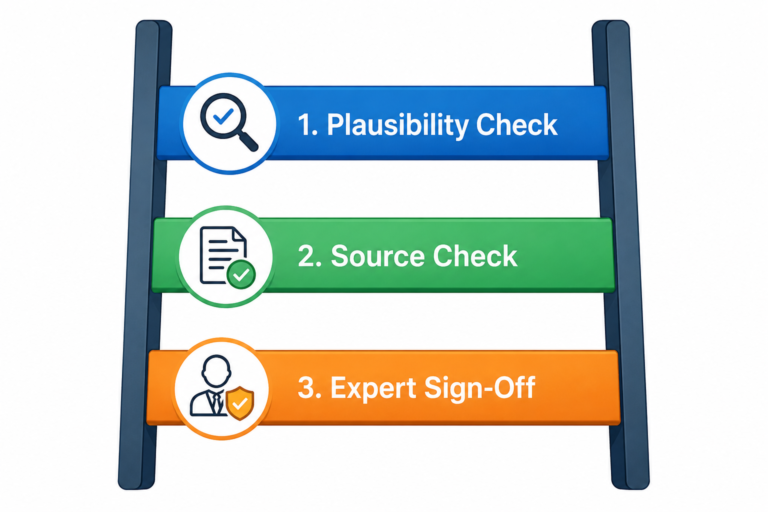
Verify at Rung 2 or 3 of the Verification Ladder before it’s used
A growth percentage that doesn’t match the actual underlying spreadsheet
See our verification guide — numbers that inform decisions deserve real checking
43
Not asking AI to flag confounding factors before accepting a conclusion
Mistaking correlation for causation in a real analysis
Explicitly ask what alternative explanations exist for the pattern
Concluding a marketing change caused a sales increase without checking for seasonality
“What else could explain this?” is a cheap, high-value follow-up question
44
Letting AI choose a chart type without knowing the actual audience
The visualization miscommunicates the data to the people who’ll actually see it
Specify the audience when asking for a chart recommendation
A dense, technical chart shown to a non-technical leadership team
Match the chart to the reader, not just the data
Presentations
#
Mistake
Why It Hurts
The Fix
Example
Pro Tip
45
Presenting an AI-generated statistic in a deck without checking it
A fabricated number gets said out loud in a real, consequential meeting
Verify anything numeric before the deck is finalized
An invented growth statistic on a slide that no one traced back to a source
See our best AI tools list — several presentation tools include a fact-check feature for exactly this reason
46
Letting AI’s generic template design override your actual brand standards
The deck looks visibly off-brand next to your company’s other materials
Treat AI’s design as a draft, then apply your actual brand standards afterward
A client deck in a generic AI-generated style that doesn’t match the company’s usual look
Speed on structure, judgment on branding
Decision-Making
#
Mistake
Why It Hurts
The Fix
Example
Pro Tip
47
Asking AI which option to choose and taking the answer as the decision
Outsources judgment that should stay yours to something with no accountability for the outcome
Use AI to lay out the factors, keep the actual decision yourself
“Just tell me which option to pick” instead of asking it to lay out the trade-offs
AI can inform a decision; it cannot own the consequences of one
48
Not asking for the counter-argument to your own leaning
Confirmation bias gets reinforced instead of challenged
Explicitly ask “what’s the strongest argument against this?”
Only asking AI to support a decision you’d already made
The most useful question is often the one you’re least inclined to ask
49
Treating a confident-sounding AI recommendation as expert-verified
False confidence in a decision that hasn’t actually been checked
Remember the model has no accountability for the outcome — you do
Presenting an AI’s suggested strategy to leadership as if it were vetted expert advice
Confidence in the writing is not the same as confidence in the substance
50
Making an irreversible decision based solely on AI’s analysis with no independent check
A costly mistake with no safety net once the decision is made
Treat AI as one input among several, especially for anything irreversible
Committing to a major financial or legal decision based only on an AI-generated analysis
The bigger and more irreversible the decision, the further it belongs from AI alone
Top 10 Quick Wins That Save the Most Time
Apply the Four-Layer Prompt every time — the single highest-leverage habit in this entire list.
Build a personal prompt library from anything that’s worked more than once.
Match your tool to the task using the Fit Scorecard instead of defaulting to habit.
Automate one genuinely recurring task this week, starting at Automation Ladder Rung 1.
Never let a fully-automatic action ship on anything customer-facing without a review step.
Replace blind trust with the Verification Ladder — climb higher only when the stakes call for it.
Keep related work in one thread instead of restarting context from scratch each time.
Check your company’s AI policy before pasting anything sensitive — treat silence as caution, not permission.
Ask for the counter-argument before finalizing any real decision.
Review AI-generated code before merging it, every time, no exceptions.
Beginner Mistakes vs. Advanced-User Mistakes
Beginner mistakes
Advanced-user mistakes
Vague prompts missing context, format, or constraints (#1)
Overconfidence from experience leading to skipped verification (#5, #49)
Not knowing which tool fits which task (#20)
Automation running unreviewed at scale because “it’s worked before” (#23, #25)
Pasting entire documents instead of relevant excerpts (#18)
Privacy shortcuts taken specifically because familiarity breeds carelessness (#8, #10)
Trusting the first output without question (#5)
Assuming a more advanced model needs less scrutiny (#11)
Starting a new chat for every question (#17)
Becoming the team’s sole AI “expert” and creating a knowledge bottleneck (#28)
The pattern worth noticing: beginner mistakes are mostly about not yet having a structure. Advanced-user mistakes are mostly about complacency — skipping the structure you already know, because it’s worked enough times that skipping it feels safe.
AI Myths That Lead to Poor Habits
“A more advanced model needs less verification.” Independent testing suggests the opposite can be true — see Mistake #11.
“If it sounds confident, it’s probably right.” Confidence is a property of how these models generate text, not a signal of accuracy — see our verification guide.
“AI agents are always better than simple automation.” Most beginners are better served starting at Automation Ladder Rung 1 — see Mistake #16.
“Using more AI tools makes you more productive.” A small, deliberate stack usually outperforms a large, unfocused one — see Mistake #22.
“No policy from my employer means anything goes.” Silence shifts responsibility to you; it doesn’t remove risk — see Mistake #9.
“Longer prompts are always better prompts.” Once all four layers are present, more words rarely help further — see Mistake #3.
A One-Page AI Best Practices Checklist
Every prompt includes context, task, format, and constraints.
Anything with real consequence has passed through the Verification Ladder.
Sensitive data is only shared through a company-approved, enterprise-tier account.
Recurring tasks are automated; one-off tasks are done manually.
Every automated action with real-world consequence has a human review step.
The right tool is matched to the task, not just the most familiar one.
Related work stays in one thread; unrelated work starts a new one.
AI-generated code is tested and reviewed before it’s merged.
Every real decision includes an explicit counter-argument check.
Anything irreversible is never decided by AI output alone.
Where to Go From Here
If several of these mistakes felt familiar, start with the Four-Layer Prompt in our prompt engineering guide and the Verification Ladder in our verification guide — together they resolve close to half the mistakes on this list. From there, our automation guide and tool comparison guide cover the workflow and tool-selection mistakes, and our 100 ChatGPT Prompts library gives you a ready-made starting point instead of rebuilding your own from scratch.
Search “make money with AI” and you’ll find channels claiming $50,000 a month from faceless YouTube videos, “AI music” accounts claiming six figures, and tools boasting a 0% AI-detection rate as a selling point. Some of this space is real. Most of the loudest claims in it are not independently verifiable, and a few are…
In 2023, a New York attorney was sanctioned $5,000 after submitting a legal brief with six court cases that didn’t exist — ChatGPT had invented them, complete with fake case numbers, and when the attorney asked the AI whether the cases were real, it confidently said yes. That was treated as a one-off embarrassment at…
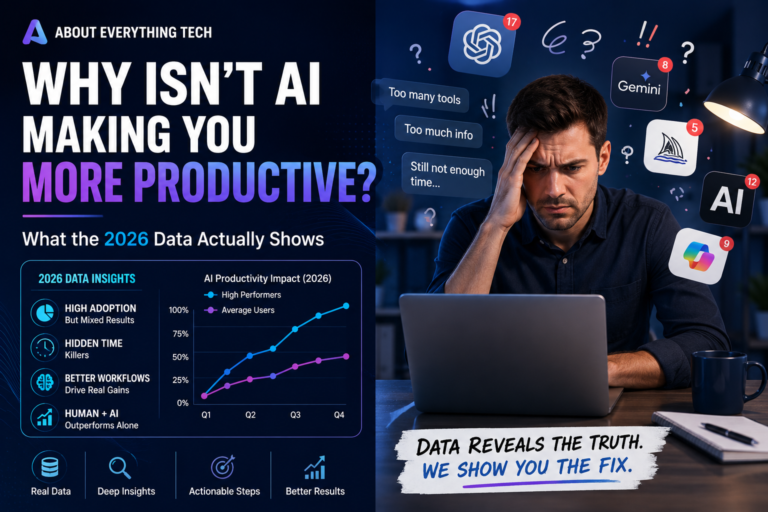
Here’s the tension sitting underneath almost every AI conversation in 2026: adoption has never been higher, and most of the return on it has never been lower. Gallup finds half of employed adults now use AI in their jobs at least occasionally. Gartner finds only 1 in 50 AI investments deliver transformational value, and only…
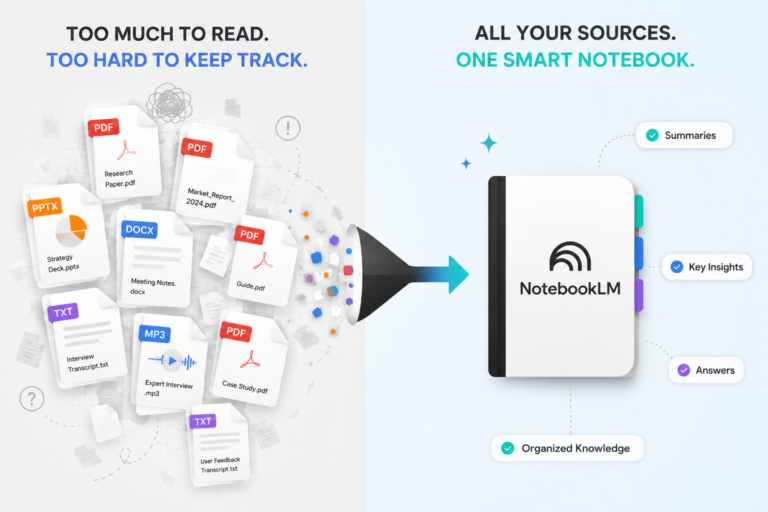
Sometime around April 2026, NotebookLM quietly overtook Gemini itself in Google Trends search interest — Google’s own flagship AI product, outranked by what most people still think of as “that PDF summarizer.” That wasn’t a fluke. Google shipped a genuinely large wave of updates to it through late 2025 and into mid-2026, and as of…
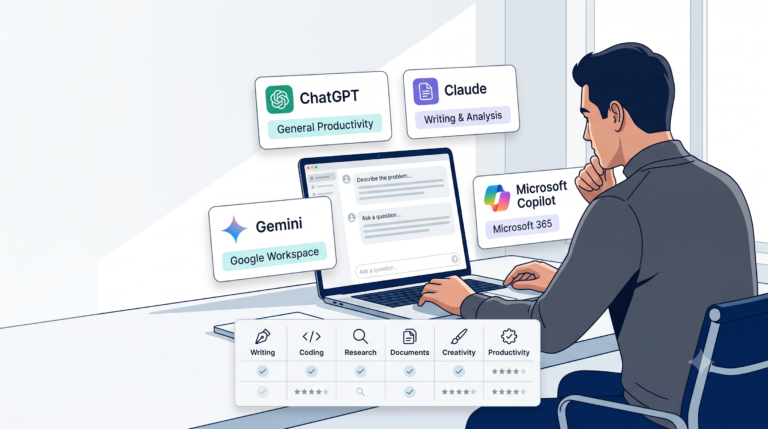
If you’ve read three “ChatGPT vs Claude vs Gemini vs Copilot” articles already, you’ve probably noticed they all land on the same four-line verdict: Claude for writing and code, Gemini for Google users, Copilot for Microsoft users, ChatGPT for everything else. That verdict isn’t wrong. It’s also not very useful, because it doesn’t know anything…
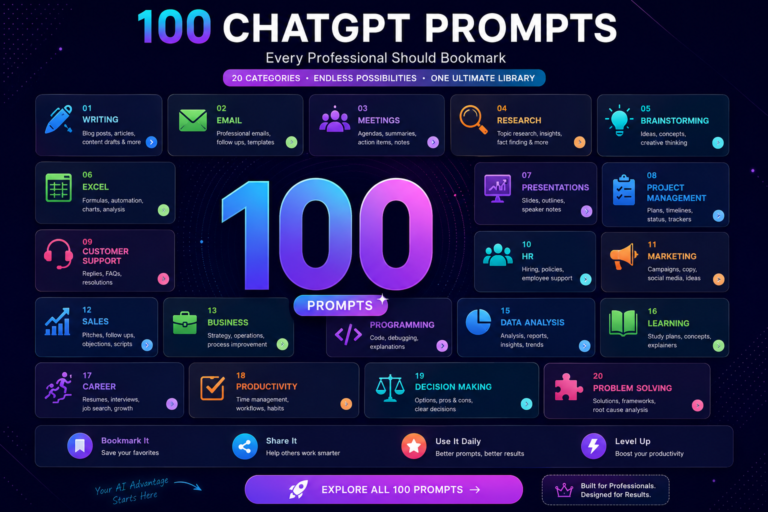
This is a bookmark-and-reuse page, not a read-once article. Every prompt below is written to be copied, customized, and dropped straight into ChatGPT — or Claude, Gemini, or Copilot, since the structure works across all four tools covered in our tool comparison guide. What Makes a Good Prompt A good prompt isn’t longer or more…