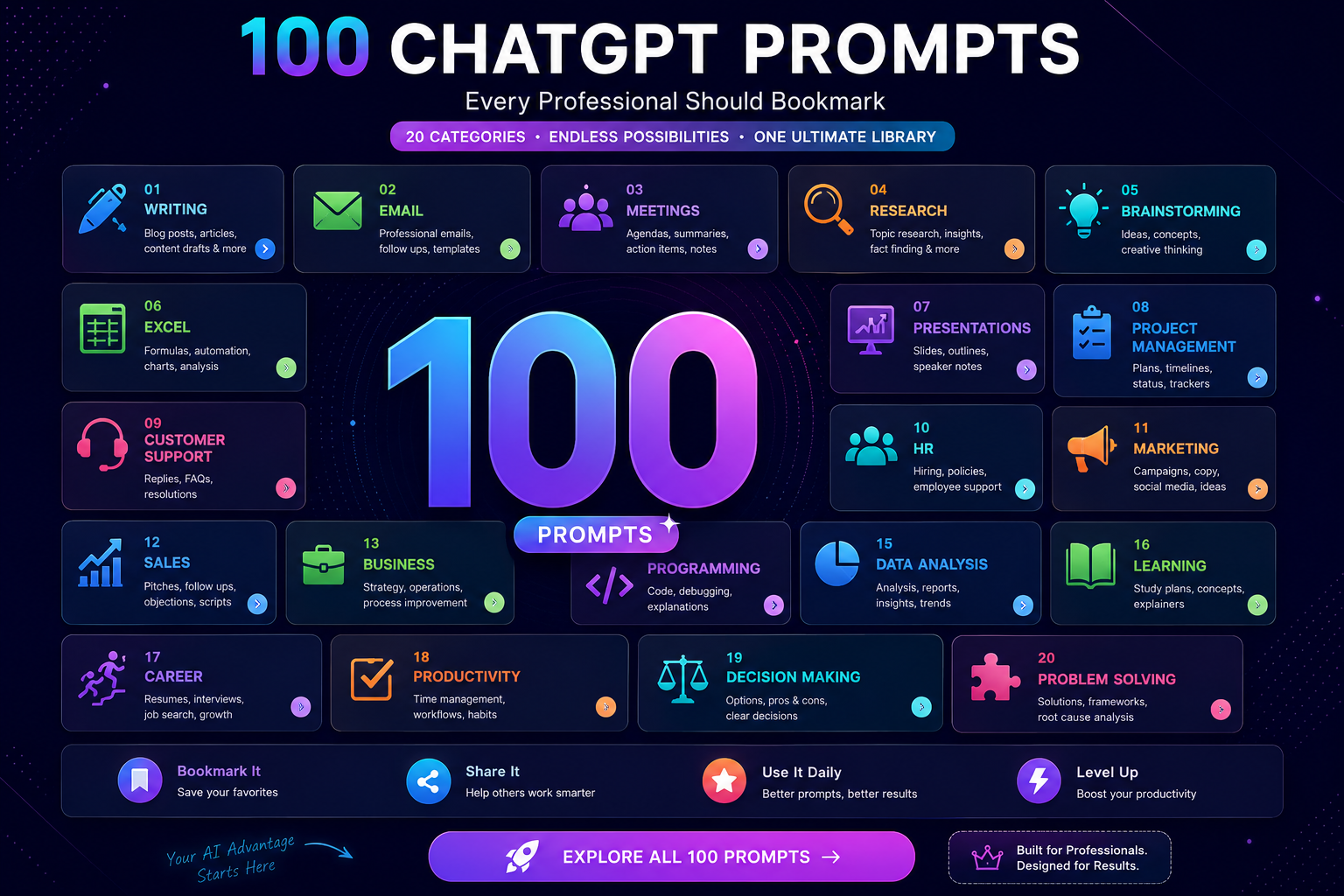
This is a bookmark-and-reuse page, not a read-once article. Every prompt below is written to be copied, customized, and dropped straight into ChatGPT — or Claude, Gemini, or Copilot, since the structure works across all four tools covered in our tool comparison guide.
What Makes a Good Prompt
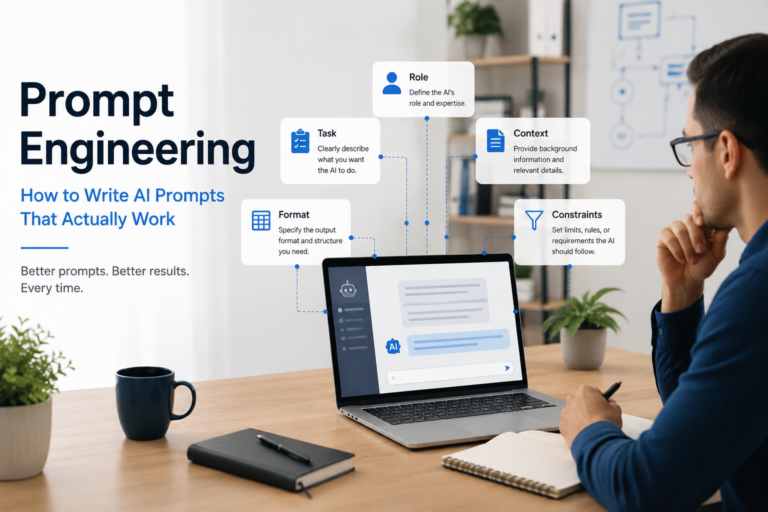
A good prompt isn’t longer or more clever than a bad one — it’s more complete. Every strong prompt in this library follows the same four-layer structure covered in depth in our prompt engineering guide: context (what’s going on), task (what you want), format (how it should look), and constraints (what to avoid). The prompts below build all four layers directly into the template, so you’re filling in blanks, not starting from scratch.
Why Prompt Structure Matters
A vague prompt gets a vague answer, not because ChatGPT is being unhelpful, but because it answered exactly the question you actually asked — which is usually less specific than you meant. Structure removes the guesswork: it tells the model what’s going on, exactly what you need, how to shape it, and what to leave out, so the first draft is usable instead of a starting point for three more rounds of re-typing.
How to Use This Library
Every prompt below uses [bracketed placeholders] — replace the bracketed text with your own specific detail before sending it. A prompt with three blanks filled in properly will consistently outperform a longer prompt with none. If you’re deciding which AI tool to run these in, see our tool comparison guide; if you want to turn any of these into something that runs automatically.
1. Writing
Prompt
When to Use
Expected Output
Pro Tip
“Rewrite this paragraph in a [confident/friendly/formal] tone for [audience]: [paste text]”
Adjusting tone for a specific reader
A rewritten paragraph matching the requested tone
Name the audience specifically — “a skeptical client” works better than “a reader”
“Turn these bullet points into a flowing paragraph: [bullets]”
Converting notes into prose
One cohesive paragraph connecting your points
Paste bullets in the order you want them discussed — ChatGPT usually preserves sequence
“Shorten this to under [X] words without losing the main point: [paste text]”
Cutting a draft down for a length limit
A condensed version at or near your word target
Ask it to list what it cut, so you can confirm nothing important was lost
“Write an opening paragraph for a [document type] about [topic] for [audience]”
Beating writer’s block on a first line
One strong opening paragraph, ready to build from
Ask for three variations if the first doesn’t hook you
“Proofread this and list only the changes you made, don’t rewrite the whole thing: [paste text]”
Light editing without losing your voice
A list of specific corrections, not a full rewrite
This preserves your original phrasing far better than “improve this”
2. Email
Prompt
When to Use
Expected Output
Pro Tip
“Draft a follow-up email to [recipient] about [topic], reminding them of [deadline], professional but not pushy”
Chasing an overdue reply
A short, polite follow-up draft
Specify the relationship (client, colleague, vendor) — it changes the right tone significantly
“Write a polite decline to this request, under 80 words: [paste request]”
Turning something down gracefully
A brief, respectful decline
Add “offer one alternative if reasonable” for a softer landing
“Turn these rough notes into a professional status email for my manager: [notes]”
Converting scattered notes into a real update
A structured, polished status email
Ask for a one-line subject suggestion too
“Draft an apology email for [situation], acknowledging the issue without over-apologizing”
Addressing a mistake professionally
A measured apology draft
Specify what you want to happen next — it shapes the closing line
“Write a cold outreach email to [role] at [company type] about [offer], under 100 words”
Prospecting a new contact
A concise, non-generic outreach draft
Give it one real, specific detail about the recipient to avoid a generic-sounding email
3. Meetings
Prompt
When to Use
Expected Output
Pro Tip
“Turn these meeting notes into Decisions, Action Items, and Open Questions: [notes]”
Structuring messy meeting notes
Three clearly labeled sections
This structure is reusable — save it as a template for every meeting
“Draft an agenda for a [X]-minute meeting about [topic] with [N] attendees”
Planning an upcoming meeting
A time-boxed agenda outline
Ask it to flag which items might run long given the attendee count
“Write a follow-up email after this meeting, referencing the key decisions: [notes]”
Closing the loop after a call
A follow-up email grounded in what was actually discussed
Always check the referenced decisions against your own memory before sending
“Summarize this meeting transcript in 5 bullet points for someone who missed it: [transcript]”
Briefing someone who wasn’t there
A tight 5-bullet summary
For long transcripts, ask it to flag anything it’s uncertain about first
“Draft three clarifying questions I should ask before this meeting about [topic]”
Preparing for an unfamiliar meeting
Three specific, relevant questions
Use this the night before, not five minutes before — gives you time to actually research the answers
4. Research
Prompt
When to Use
Expected Output
Pro Tip
“Summarize this into 5 bullet points a busy executive could read in 30 seconds: [text/link]”
Compressing a long document
A tight, scannable summary
Verify any statistic in the summary against the original — see our verification guide
“Compare [Option A] and [Option B] for [use case] as a pros/cons table”
Weighing two choices
A side-by-side comparison table
Add a third neutral option if you want to check for bias in the framing
“Explain [technical concept] in plain English for someone with no background in [field]”
Understanding something outside your expertise
A jargon-free explanation
Ask “what would an expert push back on in that explanation?” as a follow-up
“List the 5 most important questions I should ask before deciding on [topic]”
Starting research on an unfamiliar decision
Five genuinely useful starting questions
Use this before you start researching, not after — it shapes what you look for
“Summarize the arguments for and against [position], evenly, without taking a side”
Understanding a contested topic fairly
A balanced for/against breakdown
Cross-check anything surprising against an independent source before repeating it
5. Brainstorming
Prompt
When to Use
Expected Output
Pro Tip
“Give me 10 different angles on [topic] I haven’t considered yet”
Breaking out of a mental rut
A list of genuinely varied angles
Cross out any that feel familiar and ask for 5 more from the remaining gap
“I’m stuck on [problem]. Give me three completely different approaches, with a pro/con each”
Getting unstuck on a real decision
Three distinct approaches, not variations of one idea
This is a Delegation Matrix “Brainstorm With It” task — no need to verify, just explore
“Play devil’s advocate on this idea and find its three weakest points: [idea]”
Pressure-testing your own idea
Three genuine critiques, not vague pushback
Ask it to be as tough as a skeptical investor, not a polite colleague
“Generate 15 name/title options for [product/project], grouped by tone”
Naming something new
15 options sorted into tone categories
Read them out loud — names that work on the page sometimes don’t work spoken
“What would [a skeptical investor/a first-time user/a competitor] ask about this idea?: [idea]”
Seeing your idea from an outside perspective
A list of pointed questions from that specific viewpoint
Try two or three different personas for a fuller picture
6. Excel
Prompt
When to Use
Expected Output
Pro Tip
“Write an Excel formula that does [task] based on columns [A] and [B]”
Building a formula from scratch
A working formula with a brief explanation
Always test it on a small sample before applying it to your full dataset
“Explain what this formula does, step by step: [paste formula]”
Understanding someone else’s spreadsheet
A plain-English, step-by-step breakdown
Great for inherited spreadsheets with no documentation
“I have data in this format [describe], help me write a formula to summarize it by [category]”
Building a summary view
A formula tailored to your described structure
Paste a sample row instead of just describing the format — it improves accuracy significantly
“Suggest 3 ways to clean up this messy dataset before analysis: [describe data]”
Prepping raw data
Three concrete cleanup suggestions
Ask which cleanup step is riskiest to automate vs. do manually
“Write a formula to flag rows where [condition], and explain how to apply it”
Building a conditional check
A conditional formula plus application instructions
This is a “Verify Twice” task — a wrong flag formula can hide real problems, so test it
7. Presentations
Prompt
When to Use
Expected Output
Pro Tip
“Turn this document into a slide-by-slide outline for a [X]-minute talk: [content]”
Converting a document into a deck
A slide-by-slide outline
Specify the audience’s familiarity level — it changes how much gets explained per slide
“Suggest a clear narrative structure for a presentation about [topic] to [audience]”
Planning before you open a slide tool
A story arc, not just a list of topics
Ask for the “so what” of each section — the takeaway, not just the subject
“Write speaker notes for a slide about [topic], 3 short talking points”
Prepping to present, not just read slides
Concise, spoken-friendly notes
Read them aloud once — written notes and spoken notes need different rhythm
“Simplify this slide’s text to under 15 words per bullet: [slide text]”
Fixing a text-heavy slide
A trimmed, punchier version
Ask what got cut, to make sure nothing essential disappeared
“Suggest one strong opening line for a presentation about [topic]”
Fixing a weak opening
A few opening line options
Ask for one serious and one lighter option, then pick based on your actual audience
8. Project Management
Prompt
When to Use
Expected Output
Pro Tip
“Turn this task list into a project plan with rough sequencing and dependencies: [tasks]”
Structuring a new project
A sequenced plan with dependency notes
Treat the sequencing as a first draft — verify real dependencies with your team
“Draft a status update for [stakeholder] on a project that’s [on track/behind]: Status, Risks, Next Steps”
Reporting upward
A structured three-section update
Never let this be your only check on the real status — verify facts before sending
“Write a risk register entry for [risk], including impact and a mitigation idea”
Documenting a project risk
A structured risk entry
Use this as a starting draft; risk scoring itself needs your judgment
“Summarize this project’s current blockers into 3 sentences for a leadership update”
Compressing complexity for executives
A tight, leadership-ready summary
Confirm nothing critical got oversimplified away
“Draft a kickoff message introducing scope, timeline, and roles: [details]”
Starting a new project
A clear kickoff announcement
Ask for a version under 150 words for a chat message vs. a longer email version
9. Customer Support
Prompt
When to Use
Expected Output
Pro Tip
“Draft a reply to this complaint, acknowledging the issue and offering [resolution]: [complaint]”
Responding to an upset customer
An empathetic, resolution-focused draft
Always personalize before sending — a template-sounding apology can make things worse
“Turn this technical explanation into simple language for a non-technical customer: [text]”
Simplifying a support response
A jargon-free version of the same explanation
Ask it to keep any safety-relevant detail intact even while simplifying
“Write a template response for the common question: [question], with blanks for specifics”
Building a reusable reply
A reusable template with clear blanks
Save this as a canned response once it’s tested a few times
“Draft a follow-up checking if a customer’s issue was resolved, friendly tone”
Closing the loop
A brief, warm check-in message
Send this a few days after resolution, not immediately
“Summarize this support ticket thread into one paragraph for internal handoff: [thread]”
Passing a ticket to another team
A concise handoff summary
Confirm the summary captures the actual current status, not just the original complaint
10. HR
Prompt
When to Use
Expected Output
Pro Tip
“Draft a job description for [role] at a [company size/type], covering responsibilities and requirements”
Opening a new role
A structured draft job posting
Add your company’s actual tone (casual vs. corporate) as a constraint
“Write performance review feedback for someone [strength] but struggling with [issue], supportive tone”
Preparing a review
Balanced, constructive feedback
This is a “Keep It Human” starting point only — the actual conversation needs your judgment
“Draft an onboarding welcome message for a new hire starting as [role]”
Welcoming a new employee
A warm, informative welcome message
Personalize with one specific detail about the team to avoid a generic feel
“Write interview questions to assess [skill] for a [role] candidate”
Preparing for interviews
A set of targeted interview questions
Ask for follow-up probes for each question, not just the opener
“Draft a policy summary explaining [policy] in plain language for employees”
Communicating a policy change
A clear, jargon-free summary
Have this reviewed against the actual legal policy language before distributing — see our verification guide
11. Marketing
Prompt
When to Use
Expected Output
Pro Tip
“Write 5 social media post variations announcing [product/feature], each with a different hook”
Launching something new
Five genuinely distinct post drafts
Ask which hook it thinks is strongest, and why, as a gut check
“Draft ad copy for [product] targeting [audience], under 40 words, no exclamation points”
Writing tight ad copy
A concise, punchy draft
Constraints like “no exclamation points” measurably reduce generic-sounding output
“Turn this blog post into a LinkedIn post highlighting the most useful insight: [post]”
Repurposing long-form content
A short, insight-led LinkedIn post
Ask it to identify the single most shareable line first, then build around that
“Write 3 subject line options for an email about [topic], testing curiosity vs. urgency”
A/B testing email subject lines
Three distinctly different subject lines
Actually test them — don’t assume which one performs best
“Suggest a content calendar theme for [month/season] relevant to [industry]”
Planning content ahead
A themed content angle for the period
Ask for 3 alternate themes if the first doesn’t fit your brand
12. Sales
Prompt
When to Use
Expected Output
Pro Tip
“Draft cold outreach referencing [trigger event] for a [role] at [company type]”
Prospecting with real context
A personalized outreach draft
A real trigger event (funding, a hire, a launch) beats a generic opener every time
“Write a follow-up after a call that went [well/needs work], referencing: [notes]”
Following up after a sales call
A grounded, specific follow-up
Reference at least one specific thing they said — it signals you were actually listening
“Draft a response to this objection: [objection], acknowledging it honestly first”
Handling a sales objection
An honest, non-defensive response
Never let AI invent a guarantee or claim you can’t actually back up
“Summarize this prospect’s needs from our call notes into 3 bullet points: [notes]”
Prepping for a proposal
A tight needs summary
Use this to check your own understanding before writing the proposal
“Write a short case study outline based on this customer result: [result]”
Building sales collateral
A structured case study skeleton
Verify every number in the result before it goes into anything customer-facing
13. Business
Prompt
When to Use
Expected Output
Pro Tip
“Summarize this report into a half-page executive summary with one clear recommendation: [report]”
Briefing leadership
A concise summary plus one recommendation
Make sure the recommendation reflects your own judgment, not just the AI’s synthesis
“Draft a one-paragraph business case for [initiative], covering cost, benefit, risk”
Pitching a new initiative
A tight, structured business case paragraph
Any cost or benefit figure needs independent verification before it’s presented
“Explain the likely business impact of [trend/change] for a company in [industry]”
Assessing a market shift
A plausible impact analysis
Treat this as a hypothesis to test, not a forecast to bank on
“Draft talking points for a board update on [topic], concise and confident”
Preparing for a board meeting
Confident, concise talking points
Rehearse them out loud — written confidence and spoken confidence read differently
“List 5 questions a skeptical board member might ask about [proposal]”
Stress-testing a proposal
Five pointed, realistic questions
Prepare real answers before the meeting, not during it
14. Programming
Prompt
When to Use
Expected Output
Pro Tip
“Explain what this code does, line by line: [paste code]”
Understanding unfamiliar code
A plain-English, line-by-line explanation
Great for reviewing a colleague’s pull request quickly
“Find the bug in this function and explain why it happens before fixing it: [code]”
Debugging
An explanation of the bug’s cause, then a fix
Always ask “why” before accepting the fix — it teaches you the actual pattern
“Write a function that does [task] in [language], with comments explaining each step”
Writing new code
Commented, working code
Never merge AI-written code without running it and reviewing it yourself
“Suggest a more efficient way to write this code without changing its behavior: [code]”
Optimizing existing code
A refactored version with the same output
Test that the behavior genuinely hasn’t changed before replacing the original
“Write unit tests for this function: [code]”
Adding test coverage
A set of relevant unit tests
Check that the tests actually exercise edge cases, not just the happy path
Use this before diving in, to avoid analyzing the wrong thing first
“Explain what this statistic actually means in plain language: [stat]”
Interpreting a confusing number
A plain-English explanation
Ask what the statistic does NOT tell you — often the more useful half of the answer
“Suggest the right type of chart to visualize [data type] for [audience]”
Choosing a visualization
A recommended chart type with reasoning
Match the audience’s familiarity — executives and analysts often need different chart styles
“Summarize the key trend in this data in 2 sentences: [paste data/summary]”
Compressing findings for a report
A tight two-sentence summary
Verify the trend against the raw data yourself before presenting it as fact
“List possible confounding factors before concluding [claim] from this data”
Checking your own conclusion
A list of alternative explanations
This is a genuine “Verify Twice” habit — cheap to run, catches real mistakes
16. Learning
Prompt
When to Use
Expected Output
Pro Tip
“Explain [concept] the way you’d explain it to a smart 12-year-old, then add the technical version”
Learning something new
A simple explanation, then a deeper one
The simple version often reveals what you actually didn’t understand yet
“Create a 5-question quiz to test my understanding of [topic]”
Checking your own comprehension
A short, targeted quiz
Answer before checking — resist the urge to peek
“Give me a simple analogy for understanding [complex concept]”
Grasping something abstract
One clear, relatable analogy
Ask where the analogy breaks down — every analogy has a limit worth knowing
“Break down [skill] into a beginner-to-advanced learning path”
Planning how to learn something
A structured, staged learning path
Treat the path as a draft — adjust based on what actually clicks for you
“Explain the most common misconception about [topic] and why it’s wrong”
Correcting your own assumptions
A named misconception plus the correction
Genuinely useful for topics you think you already understand
17. Career
Prompt
When to Use
Expected Output
Pro Tip
“Rewrite my resume bullet point to focus on impact, not just duties: [bullet]”
Strengthening a resume
An impact-focused rewrite
Add a real number if you have one — it’s the single biggest resume improvement
“Draft answers to ‘tell me about yourself’ for a [role] interview, under 90 seconds spoken”
Interview prep
A concise, spoken-length answer
Time yourself reading it aloud — written pacing and spoken pacing differ
“Suggest 3 ways to phrase this achievement to sound more results-driven: [achievement]”
Polishing your own story
Three alternative phrasings
Pick the one that still sounds like you, not the most impressive-sounding one
“Write a LinkedIn summary for someone with [X years] in [field]”
Updating your profile
A polished summary draft
Edit out anything that doesn’t sound like your actual voice
“Draft a thoughtful question to ask at the end of a [role] interview”
Interview prep
A genuine, role-specific question
Avoid questions answerable by a quick look at the company website
18. Productivity
Prompt
When to Use
Expected Output
Pro Tip
“Turn this brain-dump into a prioritized to-do list: [notes]”
Organizing a messy list of tasks
A prioritized, cleaned-up list
Ask it to flag anything that looks like it belongs to someone else, not you
“Suggest how to break this large task into smaller steps: [task]”
Tackling something overwhelming
A sequence of smaller, concrete steps
Start with just the first step — momentum matters more than the full plan
“Draft a weekly plan given these priorities and [X] hours available: [priorities]”
Planning your week
A time-aware weekly plan
Be honest about your real available hours, not your ideal ones
“Help me decide what to say no to this week given these commitments: [list]”
Managing overcommitment
A suggested list of what to deprioritize
The AI can suggest; the actual no is still yours to say
“Summarize my day’s notes into 3 things that actually moved the needle: [notes]”
End-of-day reflection
Three genuinely meaningful highlights
Do this consistently for a week to spot your own real patterns
19. Decision Making
Prompt
When to Use
Expected Output
Pro Tip
“List the key factors I should weigh before deciding between [Option A] and [Option B]”
Structuring a hard decision
A list of genuinely relevant factors
Add your own weighting — the AI can list factors, not rank what matters most to you
“Play out the most likely consequence of [decision] a year from now”
Testing a decision’s long-term effect
A plausible future scenario
Treat this as one useful scenario, not a prediction
“What’s the strongest argument against the choice I’m leaning toward: [choice]?”
Checking your own bias
The single best counter-argument
If it can’t produce a real counter-argument, that itself is informative
“Help me build a simple pros/cons table for [decision]”
Organizing your thinking
A clear pros/cons table
Use it as a structure for your own weighing, not a final verdict
“What would I regret more: [Option A] or [Option B], and why might that be?”
Getting past pure logic
A reframed, emotionally-aware perspective
Useful specifically for decisions logic alone hasn’t resolved
20. Problem Solving
Prompt
When to Use
Expected Output
Pro Tip
“Walk me through a 5 Whys analysis on this problem: [problem]”
Finding a root cause
A structured, drilling-down analysis
This mirrors the Prompt 5 Whys framework from our prompt engineering guide — applies to real-world problems too, not just prompts
“What are 3 possible root causes of [problem] I might be missing?”
Broadening your own diagnosis
Three alternative root causes
Especially useful when you’re confident you already know the cause
“Reframe this problem as a question I haven’t asked yet: [problem]”
Getting unstuck
A genuinely different framing
Sometimes the reframed question is more useful than any answer
“What would someone outside my industry try first for [problem]?”
Escaping industry blind spots
An outside-perspective suggestion
Specify a genuinely different field for the most useful contrast
“Give me the simplest possible first experiment to test whether [assumption] is true”
Testing a risky assumption cheaply
One small, low-cost test to try first
Resist the urge to design a bigger test than you actually need
Beginner Mistakes
Writing only the task, skipping context, format, and constraints. This is the single most common gap across all 100 prompts above — see our prompt engineering guide for the full Four-Layer structure.
Trusting the first output without checking it, especially for anything with a number, a citation, or a claim that matters. See our verification guide before anything above ships externally.
Re-using a prompt on a very different situation without adjusting the brackets. A great HR prompt for a senior hire doesn’t automatically fit an entry-level one.
Assuming a longer prompt is always better. Most of the prompts above work precisely because they’re complete, not because they’re long.
Never saving what worked. If a prompt from this list performs well for you once, save your filled-in version — that’s the start of your own personal prompt library.
Prompt Writing Best Practices
Always fill in every bracket before sending — an unfilled placeholder is a guaranteed vague answer.
State your constraints explicitly (“no exclamation points,” “under 100 words”) rather than assuming the model will infer your preferences.
For anything customer-facing or high-stakes, treat the output as a first draft, not a final version.
When a prompt doesn’t work, run the Prompt 5 Whys from our prompt engineering guide before rewriting from scratch.
Keep a running list of your own best-performing prompts — the templates below are a starting structure for that habit.
Variables You Can Customize
Every bracketed term across this library follows the same convention — replace it with your specific detail, don’t leave it generic:
Variable
Replace with
[audience]
Who’s actually going to read or hear this
[tone]
The specific tone you want — name it, don’t assume
[X]
A real number — word count, minutes, years
[paste text/data/code]
Your actual content, not a description of it
[topic]
As specific as possible — “Q3 pricing strategy,” not “business”
Advanced Prompt Techniques
Chain prompting: break a complex task into a sequence of smaller prompts, feeding one output into the next, rather than asking for everything in a single request.
Role assignment: open with a brief role for the AI (“You’re reviewing this as a skeptical editor”) to shift the angle of its response.
Few-shot examples: include one or two examples of the output style you want before the actual request — this consistently improves formatting consistency.
Self-critique follow-up: after a first response, ask “what’s the weakest part of that answer?” — often surfaces a real gap worth fixing.
Iterative refinement: treat the first output as a draft and give specific, targeted feedback rather than starting over with a new prompt each time.
Prompt Templates
Three reusable, fill-in-the-blank templates built on the Four-Layer structure, for building your own prompts beyond this list:
“I’m [context]. [Task, stated specifically]. Format this as [format]. Avoid [constraint].”
“Given this [document/data/code]: [paste]. [Specific task]. Keep it to [length/format constraint].”
“Act as a [relevant role] reviewing [item] for [purpose]. Identify [specific thing to find]. Suggest [specific fix or next step].”
Where to Go From Here
Pair this library with our tool comparison guide to decide which AI assistant fits your stack, and our best AI tools guide if you want to go beyond ChatGPT for specific tasks like presentations or automation. Once you’ve found prompts you use often, our automation guide covers how to turn a favorite prompt into something that runs on its own.
Most prompt engineering guides are written for people who want prompt engineering to become their job title. That’s not you, and it’s not most of the people reading this. You have a report to write, a job description to draft, or a customer complaint to summarize, and the AI tool you’re using keeps giving you…
Sometime around April 2026, NotebookLM quietly overtook Gemini itself in Google Trends search interest — Google’s own flagship AI product, outranked by what most people still think of as “that PDF summarizer.” That wasn’t a fluke. Google shipped a genuinely large wave of updates to it through late 2025 and into mid-2026, and as of…
None of the 25 tools on this list are ours to sell. That matters more than it sounds like it should: most “best AI tools for work” articles are published by a company that makes one of the tools on the list, which quietly shapes what gets included and what gets ranked first. This list…
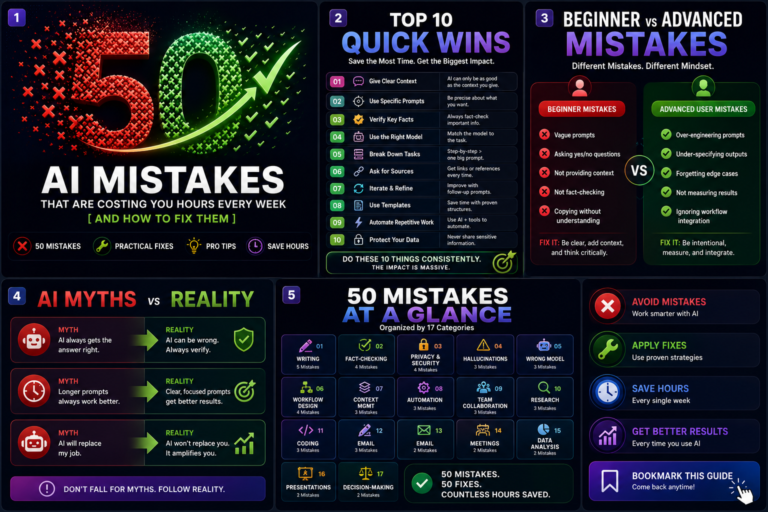
Most people using AI at work aren’t saving as much time as they could — not because the tools aren’t good enough, but because of a small, repeatable set of habits that quietly cancel out the benefit. This guide catalogs 50 of them, organized by category, each with why it costs you time, how to…
If you’ve read three “ChatGPT vs Claude vs Gemini vs Copilot” articles already, you’ve probably noticed they all land on the same four-line verdict: Claude for writing and code, Gemini for Google users, Copilot for Microsoft users, ChatGPT for everything else. That verdict isn’t wrong. It’s also not very useful, because it doesn’t know anything…
When I first started experimenting with AI at work, I made the same mistake most people do—I tried using it for everything. Some tasks became dramatically faster. Others actually became slower because I spent more time correcting mistakes than doing the work myself. That experience led me to a simple question: “How do you know…