Why Isn’t AI Making You More Productive? What the 2026 Data Actually Shows
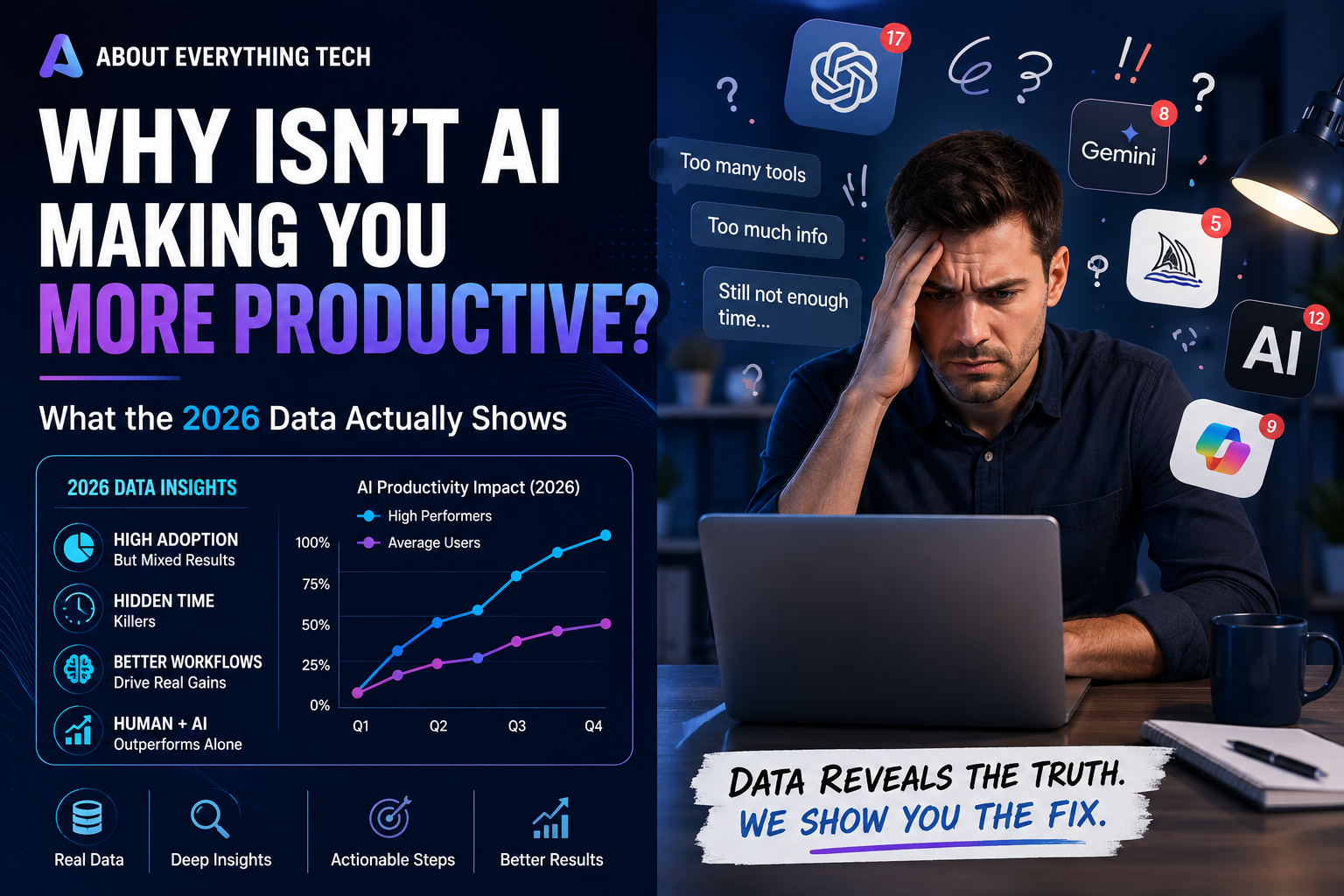
Here’s the tension sitting underneath almost every AI conversation in 2026: adoption has never been higher, and most of the return on it has never been lower. Gallup finds half of employed adults now use AI in their jobs at least occasionally. Gartner finds only 1 in 50 AI investments deliver transformational value, and only 1 in 5 deliver any measurable return at all. Both of those things are true at the same time. This article is about why.
What the 2026 Data Actually Shows
Three sources are worth taking seriously here, and they don’t all deserve equal weight.
Microsoft’s 2026 Work Trend Index, based on Microsoft 365 usage signals and a 20,000-person survey, found that only 19% of AI users sit in what it calls the “Frontier zone” — where individual skill and organizational support reinforce each other — while roughly half sit in an in-between “emerging” zone, and about 1 in 10 are skilled individuals stuck in organizations that haven’t adapted around them. Microsoft frames this as a “Transformation Paradox”: the same forces driving AI adoption are simultaneously slowing its real impact.
That framing deserves a caveat the report doesn’t emphasize itself. An independent evidence review of the same report points out that its headline figures — including a claim that organizational factors drive roughly twice the impact of individual behavior — are survey-based signals, not measured causal findings, and shouldn’t be treated as load-bearing the way a controlled study would be.
The more rigorous evidence comes from peer-reviewed economics research. A study published in the Quarterly Journal of Economics by Brynjolfsson, Li, and Raymond examined over 5,000 customer support agents using a generative AI assistant and found a 15% average productivity improvement — but that gain was heavily uneven: 34% for less experienced workers, and close to nothing for top performers who were already near the ceiling of what the tool could help with. Separately, a widely cited Harvard/BCG study of 758 consultants, led by Dell’Acqua, found a 12.2% lift in task completion and 40% higher quality output — but only on tasks that fell inside what the researchers called AI’s “jagged frontier.” On tasks just outside that frontier, consultants using AI performed 19 percentage points worse than those who didn’t, apparently because the tool’s confident tone led people to trust it exactly where it was weakest.
MIT-affiliated research has separately reported a pilot failure rate as high as 95% for generative AI initiatives — a widely cited, independently sourced figure that points in the same direction as the WTI’s narrative without depending on Microsoft’s own framing.
Read together, these sources converge on one honest conclusion: real productivity gains from AI exist, they’re measurable, and they’re wildly uneven — concentrated in certain tasks, certain skill levels, and certain organizational conditions, and largely absent everywhere else.
The AI Productivity Paradox
Stated plainly: individual AI use produces individual time savings almost immediately, but those savings frequently fail to show up as organizational or even personal output gains. The paradox isn’t that AI doesn’t work. It’s that saving time and increasing output are two different things, and most people and companies are only measuring the first one. This is why a company can report high AI adoption and, in the same year, report flat or disappointing productivity numbers without either statistic being wrong — they’re simply answering two different questions.
Why AI Saves Time But Doesn’t Always Increase Output
The clearest explanation is the “jagged frontier” finding described above: AI is unevenly capable across tasks, brilliant at some, weak at others, with no reliable signal in its tone to tell you which is which. When you use it inside its zone of real strength, you get a genuine, measurable lift. When you use it just outside that zone — on a task that merely looks similar to something it’s good at — its confident delivery can make you trust a worse answer than you’d have produced alone. Time gets saved either way. Output only improves in the first case.
The Hidden Costs of AI
These are the specific mechanisms that quietly eat into time saved, and almost none of them show up in a simple “hours saved” calculation.
Context Switching
Jumping between a chat window, your actual work document, and a browser tab to verify something breaks concentration each time, and reassembling focus afterward costs real minutes that never get counted against the “time saved.”
Prompt Rewriting
A vague first prompt that needs two or three follow-up attempts to get right — covered in depth in our prompt engineering guide — quietly erases much of the time a good prompt would have saved on the first try.
Verification Time
Checking AI output for accuracy, per our verification guide, is necessary and correct — but it’s real time, and it’s rarely subtracted from the “AI saved me an hour” estimate people report informally.
AI Hallucinations
Beyond the verification time itself, an undetected hallucination that makes it into real work creates cleanup cost later — a correction email, a redone report, a damaged relationship — that’s larger and more disruptive than the time originally saved.
Poor Workflows
Using AI conversationally for a task that’s actually recurring, instead of building the automation covered in our automation guide, means re-paying the same time cost every single time instead of once.
Too Many AI Tools
Subscribing to five overlapping tools and mastering none of them — see our best AI tools guide — creates switching costs and inconsistent output quality that a smaller, deliberate stack avoids.
Lack of Company Processes
When an organization has no shared standard for how AI should be used, every employee separately re-solves the same prompting and verification problems, and gains that could compound across a team instead stay locked inside individual habits.
Lack of AI Literacy
Without understanding concepts like the jagged frontier or verification tiers, people either avoid AI entirely (losing real available gains) or trust it uniformly everywhere (hitting the 19-percentage-point penalty zone described above) — both failure modes stemming from the same root cause.
The AI Productivity Leak Audit — Our Framework
A simple diagnostic for finding out where your own time savings are actually going. Score yourself 0 (never an issue) to 3 (constant issue) on each of the eight hidden costs above, then total the score.
| Context switching | |
| Prompt rewriting | |
| Verification time | |
| Hallucination cleanup | |
| Poor workflow design | |
| Too many overlapping tools | |
| Lack of team/company process | |
| Lack of AI literacy | |
| Total (out of 24) |
Reading your score: 0–6 suggests your time savings are largely real — keep doing what you’re doing. 7–14 suggests meaningful leakage worth fixing, usually starting with whichever single category scored highest. 15+ suggests most of your apparent time savings are being quietly spent elsewhere, and a full workflow redesign (see below) will likely outperform any new tool or model upgrade. The formula behind this framework, stated as simply as possible:
Real Productivity Gain = Time Saved − Total Leaks. Almost everyone measures the first half. Almost no one measures the second.
The Difference Between Speed and Productivity
Speed is how quickly you produce a first draft, a first answer, a first pass. Productivity is how much genuinely usable output you produce once verification, correction, and integration into real work are included. AI reliably increases speed. It only increases productivity when the leaks above are actively managed — which is precisely why adoption statistics and productivity statistics tell such different stories in the 2026 data.
Why AI Often Creates More Work
Three real patterns, all directly traceable to the hidden costs above: a team member drafts a report in ten minutes that would have taken an hour, but a colleague later finds a fabricated statistic in it, and the resulting correction, apology, and re-verification of every other number in the report takes three hours — a net loss. A manager uses AI to draft five versions of a difficult message and spends longer choosing between them than they’d have spent writing one version themselves. A department adopts three different AI tools independently, and the time spent reconciling inconsistent outputs between them exceeds what any single tool would have cost to use well.
A fourth, subtler pattern is worth naming on its own: AI lowers the cost of producing a first draft so much that people generate far more drafts than they used to, and reviewing all of them becomes its own new job. A manager who once wrote one weekly update now reviews AI-generated updates from a whole team, each needing a check for tone and accuracy — the individual writing time dropped, but a new, previously nonexistent reviewing burden appeared to replace it. This is the single most common way “AI saved me time” and “my week feels just as full” turn out to both be true at once.
Microsoft Work Trend Index, Frontier Firms & the Transformation Paradox
Microsoft’s own term for organizations getting this right is a “Frontier Firm” — one that doesn’t just give employees AI tools, but actively redesigns roles and workflows around them, with agents handling defined chunks of work rather than sitting unused alongside an unchanged process. The report’s most quoted, and most survey-dependent, finding is that organizational factors (culture, manager support, how work is structured) appear to matter roughly twice as much as individual skill in determining whether AI use translates into real impact. Treat the exact ratio with the same caution the independent evidence review above recommends — but the directional point, that the surrounding system matters enormously, is well supported by the more rigorous research too: the same tool produced a 34% gain for junior workers and almost nothing for experts in the NBER study, which is itself an organizational and role-design finding, not a tooling one.
The Four Patterns of Human-AI Collaboration
Microsoft’s research describes four stages organizations tend to move through, useful as a map of where you or your team currently sit:
| Pattern | What it looks like |
|---|---|
| Author | You produce the work; AI helps with small pieces — a sentence, a formula, a line of code |
| Editor | You set the intent; AI creates a first draft; you edit and approve |
| Director | You write a spec and hand off an entire task for AI to complete in the background |
| Orchestrator | You design a system where multiple agents run in parallel, and you handle only exceptions |
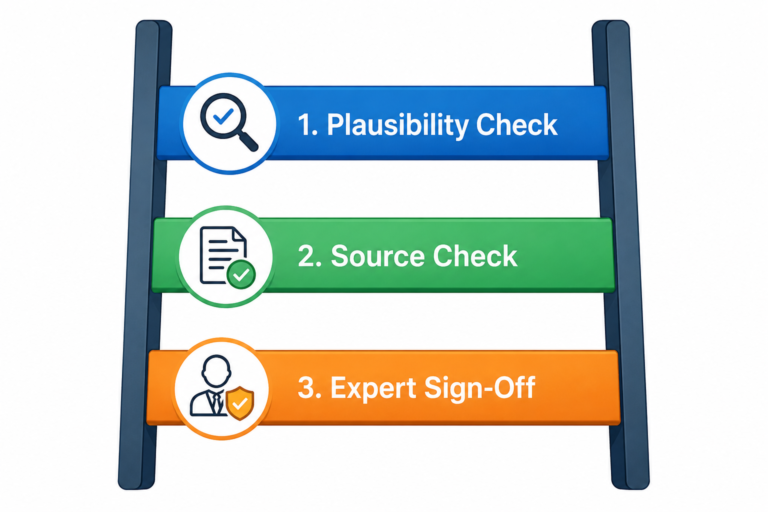
This maps directly onto our own Delegation Matrix and Automation Ladder from earlier guides: Author and Editor correspond to everyday chat-assistant use; Director corresponds to the automation covered in our automation guide; Orchestrator corresponds to the multi-agent systems covered in our AI agents guide. Most individual professionals are somewhere between Author and Editor today, and that’s an appropriate place to be — the jump to Director or Orchestrator should follow the same Decision Tree logic covered in our agents guide, not a sense of falling behind.
Why Some Companies Get Massive Gains While Others See Almost None
The pattern across every source above is consistent: gains concentrate where the task fits AI’s actual strengths, the worker had room to improve, and the organization redesigned the surrounding process rather than bolting AI onto an unchanged one. Companies seeing minimal gains are typically doing the opposite of all three — applying AI uniformly regardless of task fit, expecting the same lift for already-expert workers as for novices, and treating AI as a tool addition rather than a workflow redesign. This is precisely why Gartner finds most AI investments failing to deliver transformational value: the investment is in the tool, when the return depends on the process around it.
| High-ROI companies | Low-ROI companies | |
|---|---|---|
| Task selection | Match AI to tasks inside its jagged frontier deliberately | Apply AI uniformly across all tasks regardless of fit |
| Skill targeting | Expect and measure larger gains for junior/less-experienced staff | Expect uniform gains across all experience levels |
| Workflow | Redesign the process around AI (Director/Orchestrator patterns) | Bolt AI onto an unchanged workflow (Author pattern only) |
| Measurement | Track output quality and correction rates, not just speed | Track only self-reported time saved |
| Management support | Managers model AI use and create space to experiment | AI use is left to individual initiative with no support |
| Reward structure | Reinventing work with AI is explicitly recognized | Only the original job description is measured or rewarded |
Microsoft’s research adds one more texture worth naming directly: it describes the most AI-native organizations as places where employees become what it calls an “agent boss” — managing AI agents the way a manager once managed people, assigning work, reviewing results, and improving the process over cycles. That’s a genuine shift in what a job looks like day to day, and it’s a large part of why “redesign the workflow” is a bigger lever than “add another tool.”
Real-World Scenarios
A marketing team of four, each independently using a different AI writing tool with no shared prompt standards, spent more time each week reconciling inconsistent tone across their outputs than the tools saved them in drafting time — a textbook case of the “too many tools” and “lack of company process” leaks compounding together. Consolidating to one shared tool and one shared prompt template (see our prompt engineering guide) recovered most of the lost time within two weeks.
A solo consultant used AI to draft client proposals in a fraction of the previous time, but discovered after a near-miss with a fabricated statistic that verification was taking almost as long as the old manual drafting process — until adopting the Verification Ladder’s tiered approach, checking only the claims that actually mattered for a given proposal rather than everything uniformly, which cut verification time by roughly half without increasing risk.
An engineering team piloting a coding agent found it dramatically sped up routine, well-tested parts of the codebase — squarely inside its jagged frontier — while producing subtly worse results on a legacy module with unusual, undocumented conventions, exactly the “confidently wrong just outside the frontier” pattern the BCG research describes. The fix wasn’t abandoning the tool; it was scoping its use to the parts of the codebase where it had already proven reliable, and keeping the legacy module in human hands.
A customer support department rolled out an AI drafting tool to its entire team at once, with no tiering by experience level, and reported disappointing aggregate results — until a closer look, echoing the NBER research above, showed the newest hires improved dramatically while the most experienced agents saw almost no change. Rolling the tool out with experience-based expectations, instead of a flat organization-wide target, turned a “disappointing” result into a well-understood, genuinely positive one.
What High-Performing AI Users Do Differently
They know which of their tasks sit inside AI’s jagged frontier and which don’t, treating the boundary as something to learn rather than assume. They verify proportionally to consequence rather than uniformly or not at all. They automate genuinely recurring work instead of re-running the same conversation repeatedly. And they measure output, not just time saved — the single biggest differentiator in the data above.
The 10 Habits of Productive AI Users
- Apply the Four-Layer Prompt every time, rather than accepting a vague first draft — see our prompt engineering guide.
- Know your own jagged frontier — which tasks AI handles well for you specifically, and which it doesn’t.
- Verify proportionally to consequence, using the Verification Ladder rather than blanket trust or blanket suspicion.
- Automate genuinely recurring tasks rather than repeating the same conversation weekly — see our automation guide.
- Run the Agent Readiness Decision Tree before reaching for full autonomy on anything unpredictable.
- Keep a small, deliberate tool stack instead of five overlapping subscriptions.
- Track corrections and hallucination cleanups, not just time saved, to get an honest productivity picture.
- Share working prompts and workflows with a team instead of everyone re-solving the same problem alone.
- Treat a first AI draft as a draft, always, regardless of how polished it sounds.
- Periodically re-run the Productivity Leak Audit above — the leaks change as tools, tasks, and skills evolve.
How to Redesign Your Workflow
Start with one real, recurring task. Run the Productivity Leak Audit against how you currently do it. Identify the single highest-scoring leak and fix that one thing before touching anything else — a new tool won’t fix a workflow problem, and a workflow fix often makes an existing tool suddenly work far better. Move the task along the Author-to-Orchestrator spectrum only as far as the Automation Ladder and Agent Readiness Decision Tree from our other guides actually support, not as far as ambition suggests.
How to Measure AI ROI
Measure output quality and completion time together, not time saved in isolation — the Brynjolfsson and Dell’Acqua studies both did exactly this, comparing a real task’s outcome with and without AI assistance, not just asking people how much faster they felt. At an individual level, a simple version: track how often an AI-assisted deliverable needed significant correction after the fact, and weigh that against the drafting time saved. If correction time is eating most of the drafting-time gain, the honest ROI is close to zero regardless of how fast the first draft felt.
A worked example: a weekly report used to take 60 minutes to write manually. AI-assisted drafting cuts that to 15 minutes — a seemingly dramatic 75% time reduction. But if verifying the AI-drafted numbers takes 20 minutes, and roughly one week in four requires a further 15-minute correction after a reviewer catches an error, the real weekly average is closer to 39 minutes: still a genuine improvement over 60, but nowhere near the 15-minute headline figure, and a meaningfully different number to report as your actual productivity gain.
Common Myths
- “More AI use always means more productivity.” The jagged-frontier research shows the opposite can be true just outside AI’s zone of strength.
- “If a report says X% adoption, productivity must be rising X% too.” Adoption and realized productivity are measured completely differently, and the gap between them is the entire subject of this article.
- “The Frontier Firm statistics are hard measurements.” Even Microsoft’s own report is, by independent assessment, presenting survey-based signals — directionally useful, not precise measurements.
- “Junior and senior employees get the same AI lift.” The NBER research found a 34% gain for less experienced workers and almost none for top performers doing the same job.
- “A disappointing team-wide result means the tool failed.” As the customer support scenario above shows, an unevenly distributed gain can look like no gain at all until the data is broken down by experience level.
What This Means Differently for Managers vs. Individual Contributors
If you manage people, the highest-leverage move from this entire article is the experience-tiering finding from the customer support scenario above: set different expectations for junior and senior staff rather than one blanket productivity target, and put real effort into the “Lack of Company Processes” leak, since that one compounds across an entire team rather than costing just one person. If you’re an individual contributor without influence over team-wide tools or process, the Productivity Leak Audit and the 10 Habits above are almost entirely within your own control regardless of what your organization does — the Frontier Firm research is encouraging on this point too: individuals with strong personal habits still see meaningfully better outcomes even inside an organization that hasn’t caught up yet, they just don’t compound as fast as they would inside one that has.
Future Predictions
Expect the gap between AI adoption statistics and AI productivity statistics to remain wide through the rest of 2026, closing only inside organizations that treat workflow redesign as seriously as tool adoption. Expect “jagged frontier” thinking to spread beyond academic research into mainstream productivity advice, because it’s the most falsifiable, actionable explanation for the paradox available right now. Expect measurement itself to become a competitive differentiator — the organizations and individuals who track output and correction rates, not just self-reported time saved, will make better tool and workflow decisions than those relying on impression alone. And expect the individual professionals who track output rather than speed, per the habits above, to keep pulling ahead of colleagues using the same tools without that discipline — the gap this article describes is closing for individuals faster than for organizations, and that gap is likely to widen further before it narrows.
Where to Go From Here
If your Leak Audit score above came back high, start with whichever single leak scored highest rather than trying to fix everything — our prompt engineering, verification, and automation guides each address one specific leak in depth. If you’re considering moving a task from Director to Orchestrator, our AI agents guide covers exactly that decision.
Frequently Asked Questions
Does AI actually increase productivity, or just speed? Both, but unevenly — speed gains are consistent, while output gains depend heavily on whether the task sits inside AI’s current capability and whether verification and workflow costs are managed. See the Speed vs. Productivity section above.
What is the “jagged frontier” of AI capability? A term from Harvard/BCG research describing how AI is unpredictably strong at some tasks and weak at others, with no reliable signal in its tone to tell you which is which — and how trusting it just outside its strength zone measurably hurts performance.
What is a “Frontier Firm”? Microsoft’s term for an organization that redesigns roles and workflows around AI rather than adding AI to an unchanged process — correlated with much higher realized productivity gains in its 2026 research.
Why do some companies see massive AI gains while others see almost none? The data points to three factors: whether the task fits AI’s actual strengths, whether the worker had real room to improve, and whether the organization redesigned the surrounding workflow — see the dedicated section above.
How can I tell if my own AI use is actually saving me time? Run the Productivity Leak Audit above and compare it honestly against how often you need to correct AI-assisted work after the fact — time saved on the first draft isn’t the full picture.
Is it true that most AI pilots fail? Widely cited MIT-affiliated research puts generative AI pilot failure rates as high as 95%, though “failure” there typically means the pilot didn’t scale into lasting organizational impact — not that the underlying tool was useless for every task within it.
Should I stop using AI if my team’s results have been disappointing? Not necessarily — first check whether the disappointing result is hiding an uneven one, as in the customer support example above, where aggregate numbers masked a real gain for newer staff. Diagnose with the Leak Audit before concluding the tool itself is the problem.