AI Agents Explained: What They Are, How They Work & Who Actually Needs Them (2026)
In January 2026, a personal AI agent tool had a genuine viral moment — people watched an AI assistant get handed real permissions and real tools, then act on someone’s behalf without step-by-step instructions. That moment did more to put “AI agents” into ordinary search queries than any enterprise report has. This guide is the version written for the person who saw that and is now asking, honestly: do I actually need one of these, or is this the next thing I’m supposed to feel behind on?
Why 2026 Is Different?
Agents aren’t a new idea — the concept has existed in AI research for years. What changed is that the five underlying capabilities finally work well enough, together, in products anyone can access, for autonomous execution to be genuinely useful rather than an impressive demo that falls apart on real tasks. The scale of adoption reflects that: multiple 2026 industry surveys report that a majority of enterprises already running generative AI have moved agents into production, and analysts have suggested that a meaningful share of the individual tasks people currently do by hand could plausibly be handled by an agent within the next few years. One automation platform has reported running hundreds of internal agents across its own operations, with the large majority of its workforce actively using some form of agent day to day.
None of that means every professional needs one today. It means the category has crossed from experimental into genuinely usable, which is exactly why this guide exists — so you can evaluate it on the merits of your actual work, not the noise around it.
What Is an AI Agent?
An AI agent is a system that can take a goal, break it into steps on its own, use tools to carry out those steps, and keep going without you approving each individual action along the way. That’s the entire definition — everything else in this guide is detail on top of it.
Compare that to what you’ve been using in every previous guide on this site: a conversation where you ask, the AI answers, and you decide what happens next. That’s not a lesser tool — it’s a different category. The difference isn’t intelligence. It’s who’s driving.
The Simplest Way to Tell Them Apart
| A Chat Assistant | An AI Agent | |
|---|---|---|
| You give it | A specific question or task | A goal or desired outcome |
| It decides | Nothing — it responds to exactly what you asked | The steps needed to reach the goal |
| It acts | Only inside the chat window | Across real tools, files, and systems |
| You review | Every response, before anything happens | Only at checkpoints you define, if any |
AI Assistant vs. AI Agent
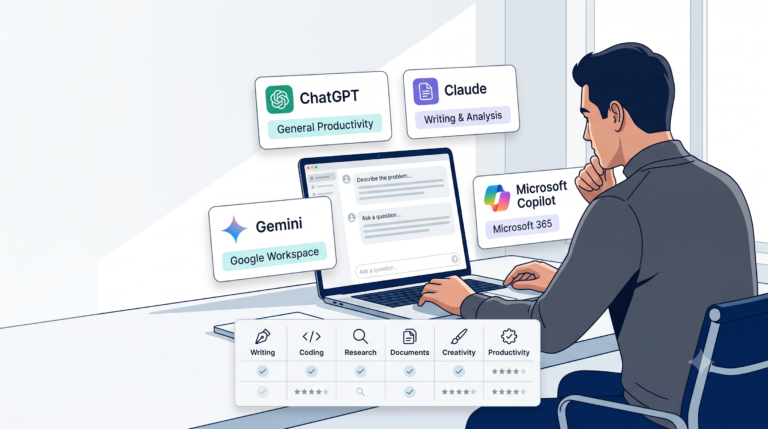
This distinction gets muddled constantly, including by the platforms themselves, so it’s worth being precise. An AI assistant — ChatGPT, Claude, Gemini, or Copilot in their default chat mode — is reactive: you prompt, it responds, you decide the next move. An AI agent is proactive within a defined goal: you set the destination, it plans and executes the route, checking in only where you’ve told it to.
Here’s the part most explainers get wrong: these aren’t two separate products. All four major AI platforms now offer both modes — a chat assistant layer for reactive help, and an agent layer for autonomous execution. You’re not choosing between “ChatGPT or an agent.” You’re choosing which mode of the same underlying platform fits your task.
Agentic AI
“Agentic AI” is the umbrella term for this whole category — systems built around the agent pattern rather than the chat pattern. When you see “2026 is the year of agentic AI” in a trend report, this is what it means: not a specific product, but a shift in how AI systems are built and deployed, from “answer this” to “achieve this.”
The Building Blocks of an Agent
Every AI agent, regardless of platform, is built from the same five components. Understanding these makes every specific product — Claude Code, Zapier Agents, Copilot Studio — instantly easier to evaluate, because you’re really just asking “how good is this platform at each of these five things?”
Memory
The ability to retain relevant information across multiple steps of a task, not just within a single response. Without memory, an agent would forget what it already tried three steps ago. In practice: an agent researching a topic across ten sources needs to remember which claims it already verified from earlier sources so it doesn’t contradict itself or redundantly re-check the same fact ten times.
Planning
Breaking a broad goal into an ordered sequence of smaller steps before or during execution — deciding what needs to happen and in what order, without being told step-by-step. Given the goal “prepare a competitor analysis,” a planning-capable agent decides on its own to first identify competitors, then gather pricing, then compare features, then draft a summary — in that order, without you specifying the sequence.
Tool Use
The ability to actually do things outside of generating text: search the web, run code, edit a file, send a message, update a spreadsheet. This is what turns “AI that talks” into “AI that acts.” A chat assistant can describe how to update a spreadsheet; an agent with tool use can actually open it and make the change.
Reasoning
Evaluating whether a step worked, whether the plan needs to change, and what to try next — the layer that lets an agent recover from an unexpected result instead of blindly continuing a broken plan. If a search returns nothing useful, a reasoning-capable agent tries a different search rather than proceeding as if it had succeeded.
Autonomous Execution
Actually carrying out the planned steps without requiring your approval at every single one — the defining trait that separates an agent from a tool you operate manually, one click at a time. This is also, as covered below, the component that makes human-in-the-loop checkpoints non-negotiable rather than optional. None of these five components is new. What changed in 2026 is that all five now work well enough, together, in consumer-accessible products, for autonomous execution to be genuinely usable rather than a demo.
Multi-Agent Systems
A single agent working alone handles a bounded task. A multi-agent system uses an orchestrator agent that coordinates several specialized sub-agents, each with its own focused job, working in parallel rather than one long sequential chain. One documented real-world example: a hiring platform used this pattern — separate specialized agents for screening, scheduling, and candidate communication, coordinated by an orchestrator — and reported meaningfully faster screening and onboarding as a result, cutting a process that used to take weeks down to a couple of days. The pattern generalizes: any workflow with distinct, parallelizable sub-tasks (research one part, draft another, verify a third) is a multi-agent candidate; a single, purely sequential task usually isn’t.
Human-in-the-Loop
This is the single most important concept in this entire guide, and it’s the direct extension of the “Keep It Human” principle from our beginner’s guide. Human-in-the-loop means an agent pauses at defined checkpoints for your approval before taking an action that’s costly, irreversible, or high-stakes — sending something externally, spending money, deleting data — rather than running end-to-end with zero human review.
The honest 2026 consensus among people actually deploying these systems is that full autonomy isn’t the goal for most real work yet — a well-placed human checkpoint is. An agent that can do 90% of a task autonomously and pause exactly at the 10% that matters is more valuable than one that does 100% autonomously and occasionally gets the costly part wrong with no one watching. <div class=”callout-box”> <strong>Warning:</strong> Never give an agent standing permission to take an irreversible action — sending money, deleting records, communicating externally under your name — without a human-in-the-loop checkpoint. This is the single highest-risk mistake in this entire category, and it’s avoidable in every case. </div>
How ChatGPT, Claude, Gemini, and Copilot Each Implement Agents
Building directly on our tool comparison guide, here’s how each platform’s agent layer actually works in 2026:
| Platform | Agent feature | Best for | Human-in-the-loop support |
|---|---|---|---|
| ChatGPT | Agent mode / browsing and task-completion agents | General-purpose multi-step tasks, research-to-deliverable workflows | Checkpoint prompts before consequential actions |
| Claude | Claude Code (coding agent), Claude Cowork (cross-file task agent) | Software development, working across a real codebase or file system | Task budgets and explicit approval gates on long-running agents |
| Gemini | Agentic browsing and workspace automation | Tasks native to Google Workspace, deep multi-document research | Configurable approval steps within Workspace automations |
| Microsoft Copilot | Copilot Studio agents, autonomous agents in Microsoft 365 | Enterprise workflows already living inside Office/Teams/Outlook | Enterprise governance and approval workflows built for IT oversight |
None of these is categorically “the agent platform” — each is strongest where its underlying ecosystem already lives, which is the same Fit Scorecard logic from our tool comparison guide, just applied one layer deeper.
Real Workplace Examples
- Recruiting and hiring: a multi-agent system handling screening, interview scheduling, and candidate communication in parallel, with a human still making the final hiring call — see the Multi-Agent Systems section above.
- Software development: a coding agent given a bug report that reads the relevant files, proposes a fix, runs the existing test suite, and opens a pull request for a human to review before it merges — autonomous up to the review gate, not past it.
- Customer support triage: an agent that reads an incoming ticket, checks a knowledge base, drafts a response, and either sends it directly for routine cases or routes it to a human for anything outside a defined confidence threshold.
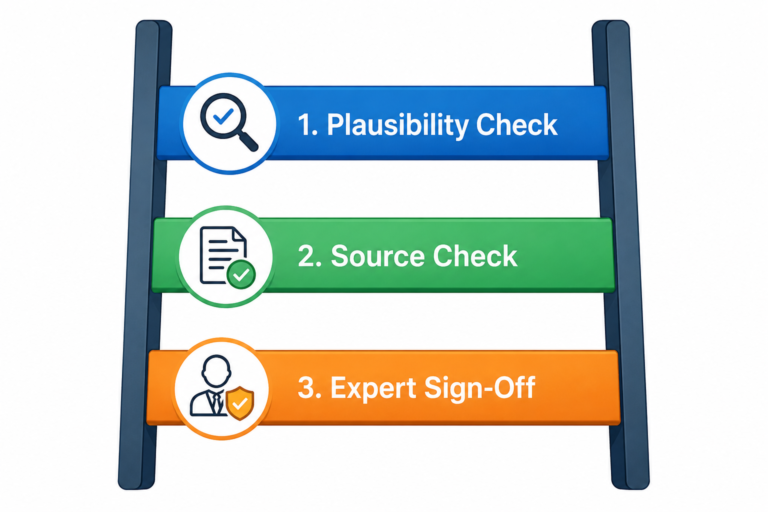
- Research-to-deliverable: an agent given a broad research goal that searches multiple sources, cross-references findings, and produces a draft report — with the Verification Ladder from our verification guide applied by a human before anything goes out the door.
- Expense and invoice processing: an agent that reads incoming invoices, matches them against purchase orders, flags mismatches for a human, and only auto-approves the ones that match cleanly within a pre-set tolerance — a good example of partial autonomy done well, since the risky cases are exactly the ones that get a human checkpoint.
- Meeting-to-action pipeline: an agent that takes a meeting transcript, drafts follow-up emails to each attendee, updates a project tracker, and schedules a follow-up meeting — three distinct tool integrations coordinated toward one outcome, the kind of task that’s genuinely hard to automate with fixed rules because which attendees need which follow-up varies every time.
- Internal operations at scale: one automation platform has reported deploying hundreds of agents internally for its own operations, with the majority of the organization actively using some form of AI agent in daily work — a real signal that this isn’t confined to specialized engineering teams once the human checkpoints are designed properly.
Where AI Agents Fit Into Your Workflow
This extends the Automation Ladder from our automation guide directly. That framework had three rungs — Classic Automation, AI-Enhanced Automation, and AI Agents — and deliberately told most readers to stop before the third one. This is the guide for deciding whether you’re actually ready to climb that far.
| Automation Ladder rung | What it looks like | When it’s the right choice |
|---|---|---|
| Rung 1: Classic Automation | Fixed trigger, fixed action, no AI | The task is simple, repetitive, and doesn’t need judgment |
| Rung 2: AI-Enhanced Automation | A trigger fires, an AI step reads and decides, then a fixed action happens | The task needs some judgment, but the overall sequence is still predictable |
| Rung 3: AI Agents | You describe a goal; the agent plans and executes the steps itself | The task is genuinely unpredictable in its steps, and you’ve built in human checkpoints for anything costly |
The honest guidance, restated: most tasks that feel like they need an agent are actually Rung 2 tasks wearing an agent-shaped costume. Reserve Rung 3 for tasks where the actual sequence of steps can’t be predicted in advance — not for tasks that are merely complex but still fundamentally linear.
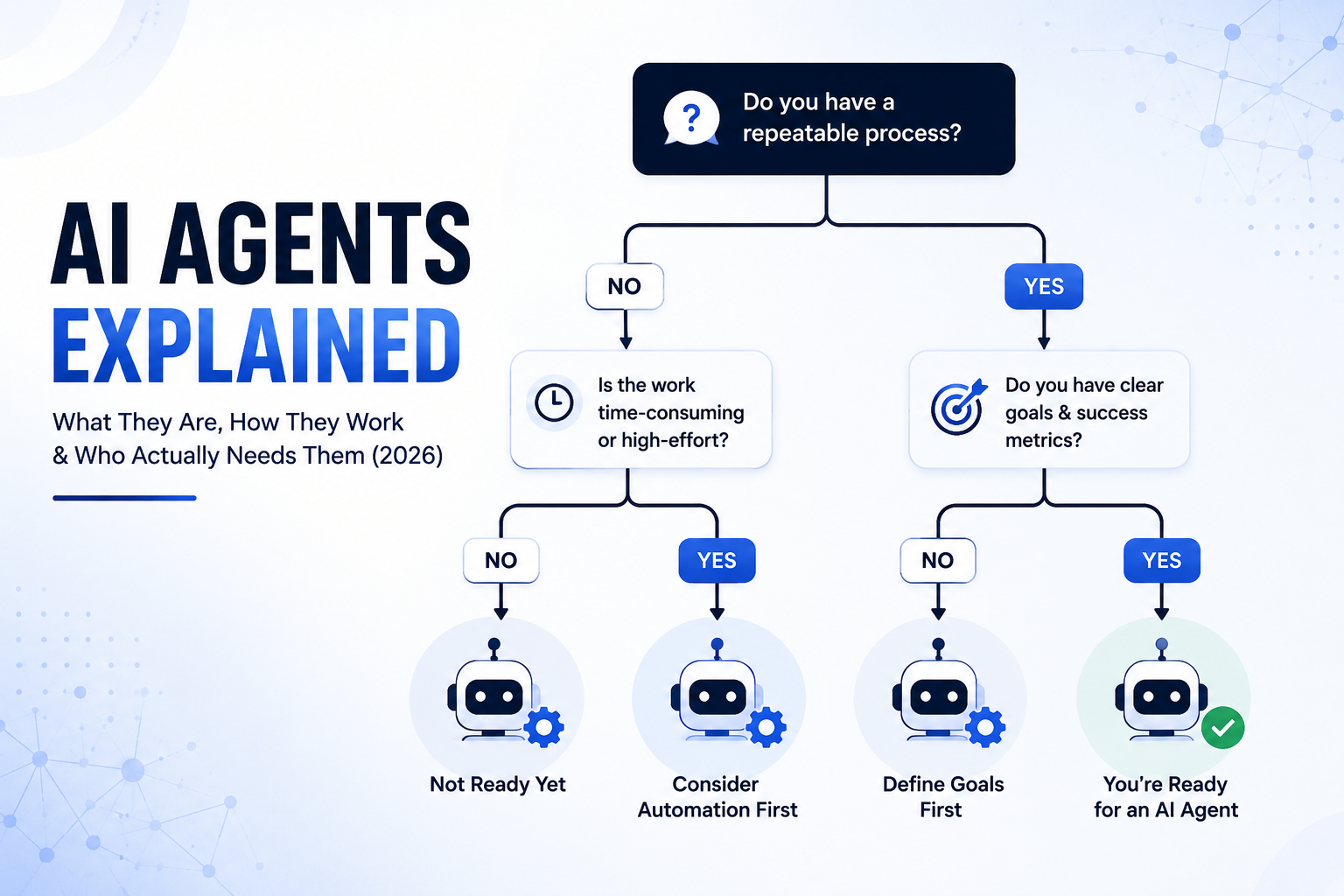
The Agent Readiness Decision Tree — Our Framework
A simple sequence of questions to work through before building or adopting an agent for a specific task:
START: Do you have a specific task in mind?
│
├─ Is the sequence of steps predictable and fixed?
│   ├─ YES → You need Rung 1 or 2 automation, not an agent.
│   │         See our automation guide.
│   └─ NO → continue
│
├─ Can a mistake in this task be easily caught and reversed?
│   ├─ NO, and there's no way to add a checkpoint →
│   │         Not ready for an agent yet. Keep this task human
│   │         or Rung 2 until you can build a safe checkpoint.
│   └─ YES, or a human-in-the-loop checkpoint is possible → continue
│
├─ Do you have the tooling/access to let an agent safely act
│   on the real systems this task touches?
│   ├─ NO → Build that access and monitoring first.
│   │         Don't grant broad permissions to close the gap faster.
│   └─ YES → continue
│
└─ RESULT: This task is a genuine Rung 3 candidate.
            Build it with an explicit human-in-the-loop
            checkpoint at its most costly or irreversible step.
Run this for one real task before committing to any agent platform — most people find their first task fails at question one, which is useful information, not a disappointing result.
Risks and Governance
Agents inherit every risk covered in our verification guide, and add two of their own.
Compounding hallucination risk: an agent that takes ten autonomous steps has ten chances for something to go wrong, and an error in step three can quietly corrupt everything built on top of it in steps four through ten. A single wrong number pulled in an early research step doesn’t just produce one wrong sentence — it can propagate through every subsequent step that builds on it, arriving at the final output far more confidently wrong than a single-turn chat mistake would be.
Prompt injection: content an agent reads while completing a task — a webpage, a document, an email — can contain hidden instructions aimed at the agent itself, not at you. A chat conversation is a closed loop you control every input to; an agent browsing the web or reading documents you didn’t write is exposed to instructions from sources you never approved. This risk doesn’t meaningfully exist in a simple chat conversation, which is one more reason “an agent is just a smarter chatbot” (see the myths section below) understates what’s actually different.
Both risks point to the same mitigation: human-in-the-loop checkpoints at the steps that actually matter, logging every action an agent takes so mistakes are traceable after the fact, and never granting an agent more standing permission than the specific task genuinely requires — the same least-privilege instinct that applies to any account or system access, extended to an AI system acting on your behalf.
Talking to Your Manager About Piloting an Agent
If you’re proposing this at work rather than just for yourself, frame it narrowly. Bring one specific candidate task that’s cleared the Decision Tree above, not a general “should we adopt AI agents” pitch — the specific version is easier to approve, easier to evaluate, and easier to roll back if it doesn’t work. Lead with the human-in-the-loop checkpoint you’ve designed, not the autonomy — most reasonable stakeholders say yes faster to “it drafts, a person reviews and sends” than to “it acts completely on its own.”
Implementation Roadmap
A realistic 30-60-90 day path for a professional or small team exploring their first real agent use case:
Days 1–30: Run the Agent Readiness Decision Tree against three real candidate tasks. Pick the one that clears every question most clearly. Build it at Rung 2 first, even if it feels like overkill — this establishes a working baseline you’ll recognize an agent version improving on, or not.
Days 31–60: Build a single Rung 3 agent for that one task, with an explicit human-in-the-loop checkpoint at its most consequential step. Run it in parallel with the Rung 2 version for two weeks, comparing outcomes directly rather than assuming the agent version is automatically better.
Days 61–90: If the agent version has genuinely outperformed the manual baseline, expand its scope carefully — one additional step or one additional checkpoint removed at a time, never all at once. If it hasn’t outperformed the baseline, that’s a legitimate outcome too: not every task needs to reach Rung 3, and reverting to Rung 2 is a sign of good judgment, not failure.
Quick Reference: Every Term in This Guide
| Term | Plain-English definition |
|---|---|
| AI agent | A system that takes a goal, plans its own steps, uses tools, and acts with limited ongoing approval |
| AI assistant | A reactive system that responds to what you ask, one exchange at a time |
| Agentic AI | The broader category/movement of AI systems built around the agent pattern |
| Multi-agent system | An orchestrator agent coordinating several specialized sub-agents in parallel |
| Memory | An agent’s ability to retain relevant information across the steps of a task |
| Planning | Breaking a goal into an ordered sequence of steps without being told the sequence |
| Tool use | An agent’s ability to act on real systems — search, code, files, messages — not just generate text |
| Reasoning | Evaluating whether a step worked and adjusting the plan if it didn’t |
| Autonomous execution | Carrying out planned steps without approval at every individual step |
| Human-in-the-loop | Defined checkpoints where an agent pauses for human approval before a costly or irreversible action |
Which Industries Are Leading Agent Adoption
Adoption is uneven, and the unevenness is informative. Software development leads by a wide margin — coding agents that can read an entire repository and propose working patches are one of the most mature, widely deployed use cases in this entire category, precisely because code changes are easy to test and easy to roll back if wrong. Customer service follows closely, for the same reason: most support tickets are routine enough to triage safely, with escalation paths already a normal part of how support teams operate even without AI. Hiring and recruiting has seen genuine multi-agent adoption, as covered above, because the sub-tasks (screening, scheduling, communication) are naturally parallel and individually low-risk. Finance and operations move more cautiously, for good reason — the cost of an autonomous mistake is higher and harder to reverse, which is exactly the profile the Decision Tree above is built to catch before you build something you shouldn’t have.
The pattern across all four: agent adoption is highest where mistakes are cheap to catch and cheap to reverse, and lowest where they aren’t — which is the same logic the Decision Tree formalizes for your own specific task, regardless of industry.
Signs Your Agent Pilot Isn’t Working
Not every pilot should be pushed through to completion. Watch for these signals during the 30-60-90 day roadmap above: the agent needs correction at the same step repeatedly (a sign that step needs a permanent human checkpoint, not more tuning); the time you spend reviewing its output approaches the time the manual version used to take (a sign the automation gains have been eaten by review overhead); or you find yourself loosening a safety checkpoint specifically to make the numbers look better (a sign to stop immediately, not a sign the pilot is close to succeeding). Reverting a task from Rung 3 back to Rung 2 after a genuine trial is a normal, healthy outcome — not every task earns full autonomy, and the roadmap above is designed to surface that safely rather than after a real mistake.
Common Myths About AI Agents
- “Agents are just a smarter chatbot.” They’re a different interaction pattern entirely — see the AI Assistant vs. AI Agent section above.
- “More autonomy is always the goal.” Most real deployments in 2026 succeed because of well-placed human checkpoints, not despite them.
- “You need to be technical to use one.” Several platforms — Zapier Agents, Copilot Studio — are built for exactly the “no coding required” audience covered in our automation guide.
- “An agent will save you time on any complex task.” Complexity and unpredictability aren’t the same thing — see the Automation Ladder table above; plenty of complex tasks are still fundamentally Rung 2.
Where to Go From Here
If the Decision Tree above pointed you back to Rung 1 or 2, our automation guide covers exactly how to build that well. If you’re genuinely a Rung 3 candidate, revisit our verification guide before granting any agent standing access to a real system, and treat Mistake #16 from our 50 AI mistakes guide as the one rule worth memorizing: start simple, and only climb this far when the task has actually earned it.
Frequently Asked Questions
What’s the real difference between an AI agent and a chatbot like ChatGPT? A chatbot responds to what you ask, one exchange at a time, and you decide what happens next. An agent takes a goal, plans its own steps, and executes them with less ongoing input from you — see the comparison table near the top of this guide.
Do I need to learn to code to use an AI agent? No — several platforms, including Zapier’s agent features and Microsoft Copilot Studio, are built for non-technical users, consistent with the no-code approach in our automation guide.
Are AI agents safe to use for real work? With the right human-in-the-loop checkpoints, yes for most tasks. Without them — especially for anything irreversible — no. See the Risks and Governance section above.
How is a multi-agent system different from a single agent? A single agent handles one bounded task end-to-end. A multi-agent system uses a coordinating orchestrator managing several specialized sub-agents working in parallel — see the Multi-Agent Systems section above.
How do I know if my task actually needs an agent instead of simple automation? Run it through the Agent Readiness Decision Tree above — most tasks that feel agent-worthy turn out to be predictable enough for Rung 1 or 2 automation instead.
What is prompt injection, and should I worry about it? It’s when content an agent reads — a webpage, a document — contains hidden instructions aimed at manipulating the agent rather than you. It’s a real risk specific to agents that browse or read external content, and the mitigation is the same as everywhere else in this guide: human-in-the-loop checkpoints and limited standing permissions, not avoidance of agents altogether.
Can I build an AI agent without any technical background? Yes, for a real and growing set of use cases — platforms like Zapier’s agent features and Microsoft Copilot Studio are specifically built for non-technical users, following the same no-code philosophy as our automation guide. More complex, custom agent behavior still benefits from technical skill, but it’s no longer a hard requirement to get started.